


Words of Wonders: Search
4.91.62K Reviews
App Specs
- Version
- 4.10.1
- Updated On
- License
- Free
- Downloads
- 10,000,000+
- Developer
- Fugo Games
- Categories
- Word
- Platform
- Android, iOS
Screenshots
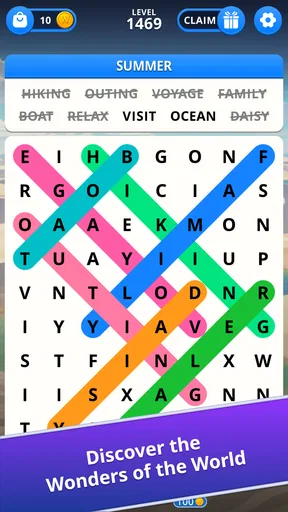
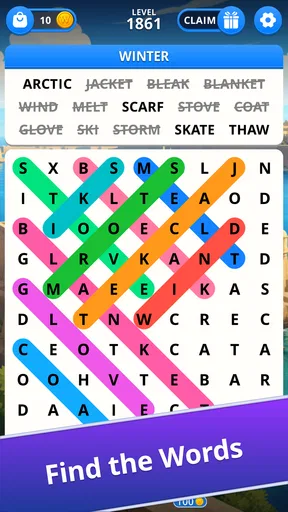
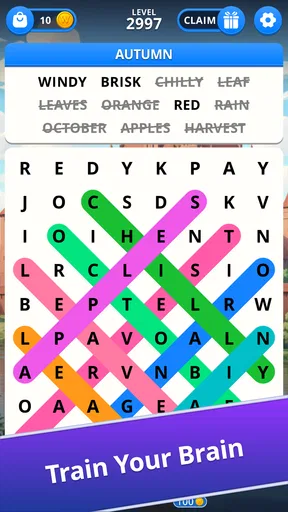
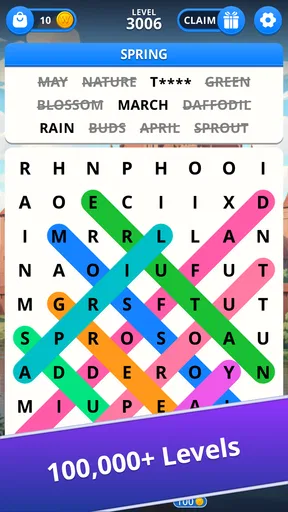
 Analysis by AppCompare
I reach for a word-search game when I want a small puzzle that asks for attention without requiring a long warm-up. Words of Wonders: Search is built around that familiar pleasure: studying a letter board, spotting a word, and checking whether I read the pattern correctly. I find it most enjoyable as a relaxed diversion, not as a serious vocabulary course or a game I need to play for long stretches.
Where it fits into an ordinary day
For example, I might open it while waiting for a delayed appointment. I can focus on one board, pause when someone calls me, and return to the letters without having to reconstruct a story or plan. That makes it a practical choice for brief pockets of free time, especially when I want something more active than scrolling but less demanding than a strategy game.
The format suits people who enjoy visual pattern-finding and want a clear, self-contained task. It is also easy to explain to a family member who has not played it before. I would look elsewhere if I wanted a social match, a strong narrative, or a guided lesson that explains new words; the pleasure here comes from finding words, not from a broader system built around them.
From letter board to first discovery
I like the first moment with a letter board because it gives me a clear job without asking me to learn a separate system first. In this section, I’ll focus on how a deliberate scan can make the opening feel more satisfying than guessing, and why changing the order of that scan helps when familiar patterns stop standing out. That sets up the game’s steady response to each attempt.
A simple action with room to look carefully
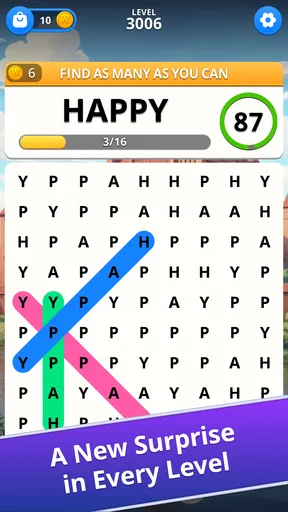
Each puzzle gives me a board of letters and asks me to find hidden words. The first useful habit is not to swipe around randomly: I pause, scan for familiar letter combinations, and follow promising sequences across the grid. That makes the opening seconds feel like a visual puzzle, not just a test of how quickly I can drag a finger.
The game’s word-search format is approachable because the basic task is immediately clear. I do not need to learn a complicated ruleset before beginning, which makes it easy to hand the phone to someone who enjoys casual word games. At the same time, the board can still make me work when a likely word is tucked among distracting letters or when I keep overlooking an obvious starting point.
One practical technique is to change how I scan when I get stuck. Instead of looking for whole words from left to right, I search for unusual letters or letter pairs and trace possible continuations from there. I also try sweeping the board in a consistent order—row by row, then column by column—so I do not keep revisiting the same easy areas while missing another part of the grid. These small adjustments make the search feel more deliberate without turning it into a chore.
Worth Reading Before You Choose

Baby Panda World Brings Quick Play to Modern Phones, but Its Game Library Feels Busy

ESPN’s Live Game View Makes Following Close Games Easier

QuizzLand Review: A Good Fit for Short Trivia Breaks, Not Every Player

Basketball Stars: Multiplayer Is Fast, but Can It Recover When Matches Go Wrong?

WEBTOON Turns Phone Updates Into a Better Reading Routine

Link to Windows Runs on Shared Habits, Not Social Feeds
Fugo Games is the developer, and the game sits firmly in the word-puzzle corner of mobile gaming. That focus is useful: it does not ask me to manage a larger adventure or follow a complicated story before I can enjoy the central activity. If I want a quick language-themed diversion, the board is the point.
Good for pauses, less suited to every mood
I can imagine opening it while waiting for an appointment, taking a quiet break between tasks, or sharing a puzzle with a family member who likes spotting words. Its Everyone age rating also makes it an easy type of game to consider for a broad range of players, though younger players may still benefit from an adult helping when a puzzle becomes frustrating.
It is not the right pick when I want a fast reflex challenge, a competitive match, or a structured course that teaches vocabulary step by step. Finding a word can reinforce familiarity with its spelling, but searching a grid is not the same as learning definitions, pronunciation, or how to use a new term. For those goals, a dedicated language-learning app or a word game built around definitions would be a better fit.
Choosing it over other word games
Compared with the usual word-game alternatives, this one asks for visual attention more than clue-solving or vocabulary recall. A crossword gives me definitions or prompts to interpret; a word scramble asks me to rearrange letters into a candidate answer. Here I need to locate a sequence in the board. That difference is useful if I like scanning and spatially tracing letters, but less appealing if I want every answer to involve a clue or a deduction.
There is also a practical trade-off between playing alone and sharing the screen. I can show a board to another person and take turns suggesting where to look, which makes a quiet wait feel more social without changing the game’s basic task. But it is not a substitute for a head-to-head word game: if friendly competition is what keeps me engaged, I would choose an alternative designed around turns or direct comparison.
How the feedback keeps the search moving
For me, the appeal is not only spotting a word but seeing the board answer my choice and knowing what to look for next. I’ll look at how that small confirmation can keep a short session moving, while also explaining why the same visual search can lose its charm when I am tired or rushing. The difference between a rewarding pause and a frustrating stall leads naturally to what progress is worth here.
The satisfying rhythm—and the occasional stall
The basic feedback loop is easy to feel: I inspect the letters, trace a possible word, see whether the selection counts, and then return to the remaining search. A correct find gives the board a sense of progress; an unsuccessful attempt sends me back to scanning. That clear action-and-response rhythm is why the game can work well in short bursts. I do not have to remember a complicated chain of actions from one session to the next.
The flip side is that the experience depends heavily on my patience with visual searching. When I am alert, I enjoy noticing a word I had been staring past. When I am tired or distracted, the same board can feel stubborn, especially if I have exhausted the obvious possibilities. I find it more satisfying to take a brief pause and look again than to keep making hurried guesses.
A useful way to avoid that stalled feeling is to alternate between two kinds of scan: first, look for likely word beginnings; then, focus on endings or less common letter combinations. This is a small change, but it stops me from repeatedly seeing only the same familiar patterns. It also makes a puzzle feel fairer: the challenge becomes one of attention and pattern recognition rather than endless random tapping.
What the game teaches—and what it does not
Repeatedly noticing spellings can make familiar words easier to recognize, but I would not use that as a substitute for studying a language. A word-search board gives me little reason to recall a definition or produce a word from memory; it rewards spotting a pattern already visible in front of me. If my goal is to build vocabulary, I would pair this kind of play with reading or a tool that asks me to work with meanings and usage.
That distinction also helps set expectations for younger players. The Everyone rating makes the game broadly suitable by age classification, but it does not mean every puzzle will be effortless or educational in a structured way. I would treat it as a casual shared activity, offering a hint about where to scan rather than turning each board into a test.
Compared with a traditional crossword, this format puts less emphasis on clues and general knowledge. Compared with a word-scramble game, it asks me to find the arrangement on the board rather than rearrange a set of letters. That makes it a comfortable alternative for players who like spotting patterns but do not want to solve definitions or invent words under pressure. If I want a deeper vocabulary challenge, though, those other formats can offer more reasoning beyond visual recognition.
Progress is most rewarding when I keep expectations modest
The reward here is the feeling of clearing a search, not a promise that every round will teach me something new. I enjoy the quick confirmation that a word I spotted belongs in the puzzle and the gradual sense that the board is becoming less crowded with possibilities. That can be enough to make one more round appealing, particularly when I have only a few spare minutes.
The game is free to download, with optional in-app purchases listed from $0.99 to $49.99 per item. I would start without spending: the core activity is understandable on its own, and there is no reason to buy anything before deciding whether I enjoy this particular style of word search. If purchase prompts appear during play, I would treat them as a separate choice rather than part of the puzzle’s basic appeal.
Its scale suggests that many people find the format approachable: it has over 10 million installs and a 4.9 average from around 179,000 ratings. Those numbers are useful context, not a guarantee that it will suit every word-game fan. The more telling question is whether I enjoy searching a letter grid repeatedly; if I prefer clues, competition, or a steady stream of new mechanics, popularity will not change that preference.
What to consider before installing
The game was released on October 17, 2019, and its current version is 4.10.1. On Android, it requires version 8.0 or later, so I would check that requirement before downloading to an older device. It is free to install, while optional purchases are available; I would decide whether to spend only after I know that the central puzzle loop holds my interest.
One useful way to judge it is to notice what kind of difficulty I enjoy. If I like patiently tracing patterns and can tolerate a board that takes a while to yield, this is a reasonable fit. If I become annoyed when a puzzle asks me to keep scanning without a clue, a crossword or a word game with definitions may feel more rewarding. The distinction is not about which format is better overall; it is about whether visual searching is the sort of effort I want from a break.
Why another session starts—and when I would stop
I find it easy to return because the central task is immediately understandable, but that simplicity also makes it important to know when to put the game down. This section considers the modest reward that can make another puzzle tempting, along with the point at which a clue-based game or a vocabulary tool would serve me better. The final judgement is about whether this particular search loop fits the kind of break I want.
A clean reset makes short play practical
When I finish a puzzle or decide I have had enough, the appeal of returning comes from the same uncomplicated invitation: there is another arrangement of letters to inspect. The loop resets naturally because I do not need to prepare, build a long strategy, or remember a complicated plot. That makes it easy to reopen during another spare moment, but it also means the game’s lasting interest rests on whether I continue to enjoy the central search.
For a realistic everyday routine, I would use it as a deliberate five-minute pause rather than keep it open whenever I am avoiding a task. I can focus on one board, put the phone down when attention starts to fade, and come back later with fresh eyes. A short break can make the next scan more effective; pushing through while distracted usually makes me circle the same letter patterns without noticing much.
The game is free and rated Everyone, and it was released on October 17, 2019. Version 4.10.1 requires Android 8.0 or later. Those details help with the practical decision to install it, but the main compatibility question is simple: check that the device meets that Android requirement if you are considering the Android edition. The game’s word-search format is also the key consideration on either platform; players who do not enjoy scanning grids are unlikely to be won over by the setup alone.
My verdict on the loop
I would recommend Words of Wonders: Search to someone who likes calm, self-contained word puzzles and wants a game that is easy to understand in a spare moment. Its strongest quality is the direct connection between looking carefully and seeing progress. The board gives me a small, clear problem, and a successful find gives me a reason to continue without demanding a long commitment.
I would skip it if I wanted a substantial vocabulary lesson, elaborate progression, or high-pressure competition. Its simple loop can become repetitive, and a difficult search may feel irritating rather than relaxing when I am short on patience. For a more clue-driven challenge, I would choose a crossword; for learning meanings and usage, I would choose a language tool. But when I want to let my eyes wander over letters, spot a hidden word, and finish a small puzzle before moving on, this is an easy game to keep in mind.
Overall, I see it as a focused casual word game rather than an all-purpose brain trainer. The best way to enjoy it is to scan with a method, take a pause when the board stops cooperating, and let each solved search be a satisfying stopping point—or a gentle nudge toward the next one.
Pros
- Simple controls make it easy to start playing right away.
- Short puzzles fit well into quick breaks.
- Word searches can help build vocabulary and spelling skills.
- Progressive challenges provide a sense of achievement.
- Suitable for players who enjoy relaxing
- low-pressure puzzles.
Cons
- Later puzzles may feel repetitive if you play for long sessions.
- Finding a hidden word can be frustrating when its spelling is unfamiliar.
- Hints can reduce the satisfaction of solving puzzles unaided.
- Small letters may be hard to read on compact screens.
- Frequent play may make the puzzles feel less challenging over time.
FAQs for Words of Wonders: Search
What is Words of Wonders: Search?
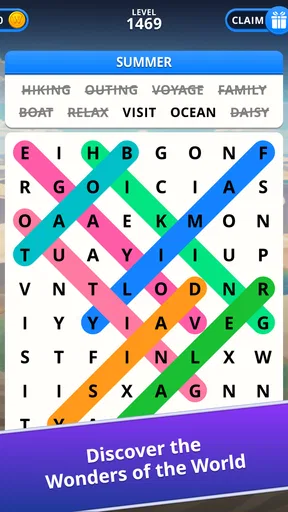
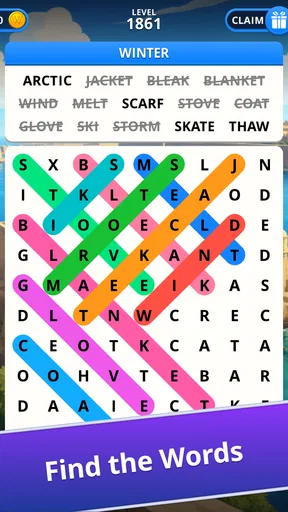
Words of Wonders: Search is a word puzzle game that asks you to find words hidden in a grid of letters. Each level provides clues or a theme, and you swipe across neighboring letters to form the answers. It combines word-search puzzles with a travel-inspired presentation, making it suitable for players who enjoy vocabulary challenges and gradual level progression.
How do you play Words of Wonders: Search?
Read the clues shown for a level, then look for the matching words in the letter grid. Drag your finger across adjacent letters in the correct order to select a word; found answers are marked on the board. The grid and clues change as you progress, so checking different directions and scanning for likely letter combinations can help when a word is hard to spot.
Can I play Words of Wonders: Search offline?
Some puzzle gameplay may be available without an internet connection, but offline access can depend on the version, device, and whether the relevant content has already loaded. Online access may be needed for features such as advertisements, purchases, rewards, or syncing progress. If you plan to play while traveling, open the game beforehand and check which features remain available with your device disconnected.
Is Words of Wonders: Search free to download, and does it include ads or purchases?
The game is generally offered as a free download, but availability and pricing can vary by platform and region. Free-to-play games may show advertisements and offer optional in-app purchases, such as items or benefits that assist with progression. Check the listing in the Google Play Store or Apple App Store for current details, and review purchase settings if children will be playing.
Is Words of Wonders: Search suitable for children, and what should parents know?
Its word-finding puzzles are generally appropriate for players who enjoy reading and vocabulary games, though the challenge may vary by age and language ability. Parents should check the store’s age rating and the game’s current privacy information before installing. Also review whether the version offers ads, in-app purchases, or online features, and use device-level parental controls if you want to restrict spending or screen time.


